1. load_data — Data Loading
Mode: Both · Category: Data Retrieval
The primary tool for loading data from the knowledge model. It operates in two distinct modes:
Intelligent mode (no
columns): The LLM dynamically picks columns, filters, ordering, and limit at runtime.Custom mode (
columnsset): The entire query is pre-configured — columns, filters, ordering, and limit are all defined in the YAML. The LLM does not fill any arguments. The only exception is wheninput_schemais defined: then the LLM fills the declared input variables, which are substituted into${...}placeholders in columns, filters, ordering, or limit.
You can have multiple load_data instances in one Process Copilot (use unique_id to distinguish them), and you can mix intelligent and custom instances.
- id: load_data
The LLM triggers this tool but fills no arguments. The query is fully defined:
- id: load_data
  unique_id: get_overdue_invoices
  description: >-
    Retrieves overdue invoices with vendor, clearing date, and fiscal year.
    Use when the user asks about overdue or unpaid invoices.
  columns:
    - id: INVOICE.INVOICE_VENDOR_NUMBER_AND_NAME
    - id: INVOICE.INVOICE_CLEARING_DATE_DAY
    - id: INVOICE.INVOICE_FISCAL_YEAR
limit: 100- id: load_data
unique_id: vendor_summary
description: Retrieves vendor data sorted by name, filtered to fiscal year 2021.
columns:
- id: vendors.vendor_name
- id: INVOICE.INVOICE_CLEARING_DATE_DAY
- id: KPI_DAYS_PAYABLE_OUTSTANDING
- pql_template:
pql: '"BKPF"."MANDT"'
name: Custom PQL Column
filters:
- pql_template:
pql: "FILTER @fiscal_year_2021;"
name: Fiscal Year 2021
orderby:
- column:
id: vendors.vendor_name
ascending: true
limit: 50When input_schema is defined, the LLM fills the declared input variables at runtime. These are substituted into ${...} placeholders in columns, filters, or limit:
- id: load_data
  unique_id: get_invoice_by_id
  description: Get invoice details for a specific invoice number.
  columns:
    - id: INVOICES.INVOICE_NUMBER
    - pql_template:
        pql: '"invoices"."Invoice Value"'
        name: Invoice Value
  filters:
    - pql_template:
        pql: FILTER "invoices"."Invoice Number" in ('${invoice_number}')
        name: Invoice Number Filter
  input_schema:
    properties:
      invoice_number:
description: The invoice number to look up.- id: load_data # intelligent mode — LLM picks columns freely
- id: load_data
unique_id: get_overdue_invoices
description: Retrieves overdue invoices with vendor and clearing date.
columns:
- id: INVOICE.INVOICE_VENDOR_NUMBER_AND_NAME
- id: INVOICE.INVOICE_CLEARING_DATE_DAY
- id: INVOICE.INVOICE_FISCAL_YEAR
limit: 100
- id: load_data
unique_id: get_vendor_summary
description: Retrieves a vendor overview with company code.
columns:
- id: INVOICE.INVOICE_VENDOR_NUMBER_AND_NAME
- id: INVOICE.INVOICE_FISCAL_YEAR
- id: INVOICE.INVOICE_COMPANY_CODE_AND_TEXT
limit: 50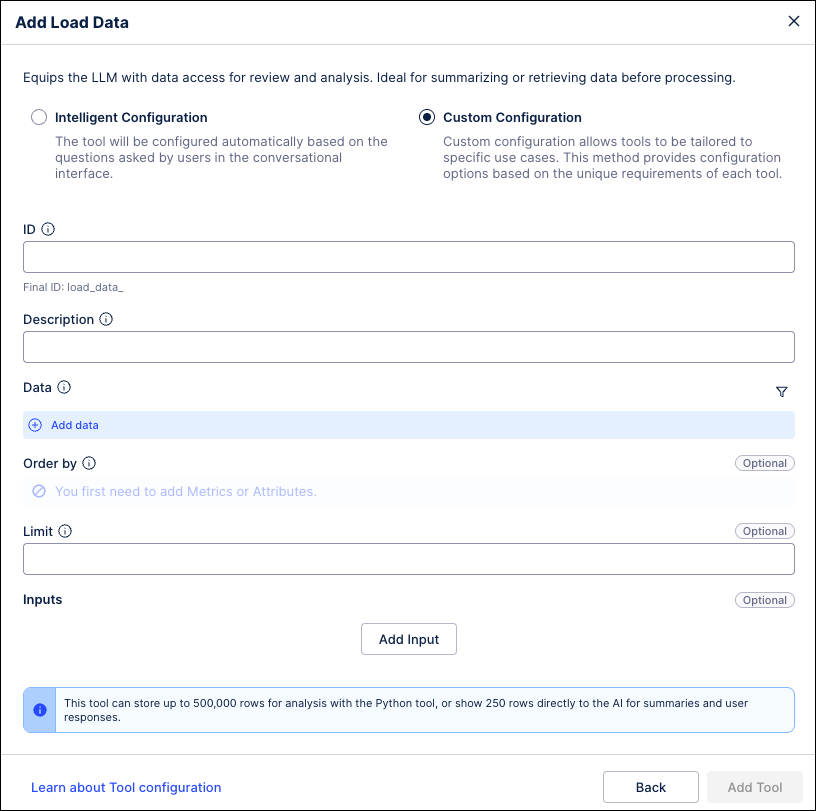 |
Field | Type | Description |
|---|---|---|
| list | Column IDs or PQL templates. Setting this activates custom mode. |
| list | Filter IDs or PQL templates (can use |
| list | Ordering rules — each has a |
| int or string | Max rows returned. Can be a |
| object | Defines input variables the LLM fills at runtime (for |
Each column entry is either {id: "..."} or {pql_template: {pql: "...", name: "..."}}.