Variable admin permissions
View our security recommendations
Your team security and user provisioning settings may vary depending on your team size. Before setting up your team, we therefore recommend that you choose a coupling approach and relevant settings.
For more information, view our Celonis Platform security recommendations and best practice: Security recommendations
By default, a user with team admin permissions has access to all features and settings within your Celonis Platform. Admins can manage users, edit team security settings, and update service permissions. However you may want to enable some users to only perform a selection of those admin roles, such as managing users or content only. To achieve this, you can assign variable admin permissions to users and groups within your Celonis Platform team who currently don't hold global admin permissions.
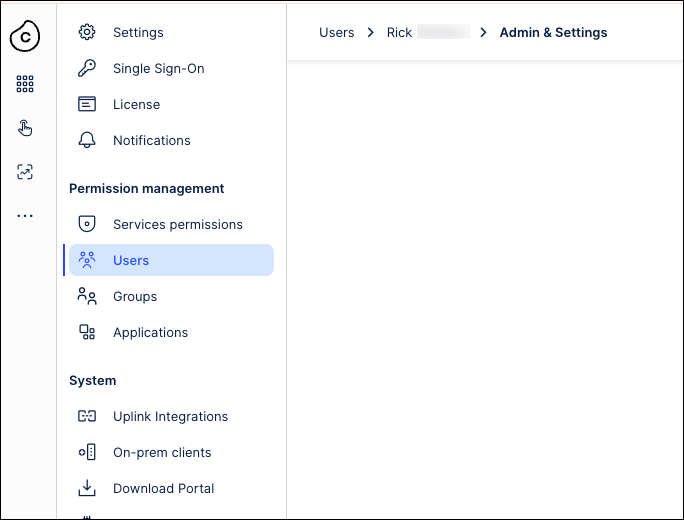
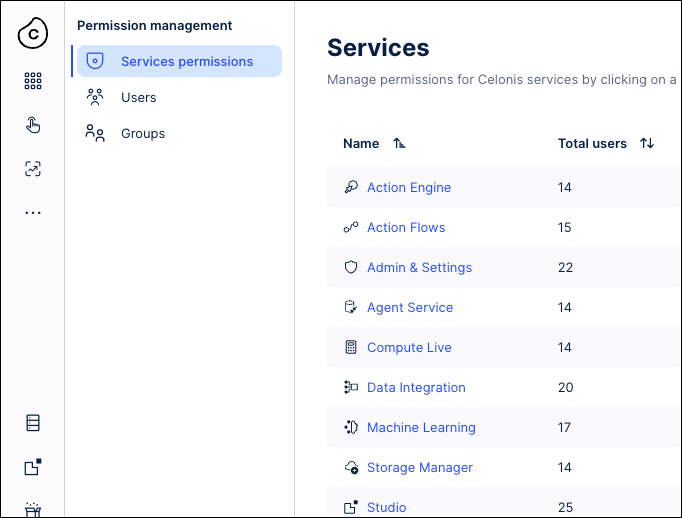
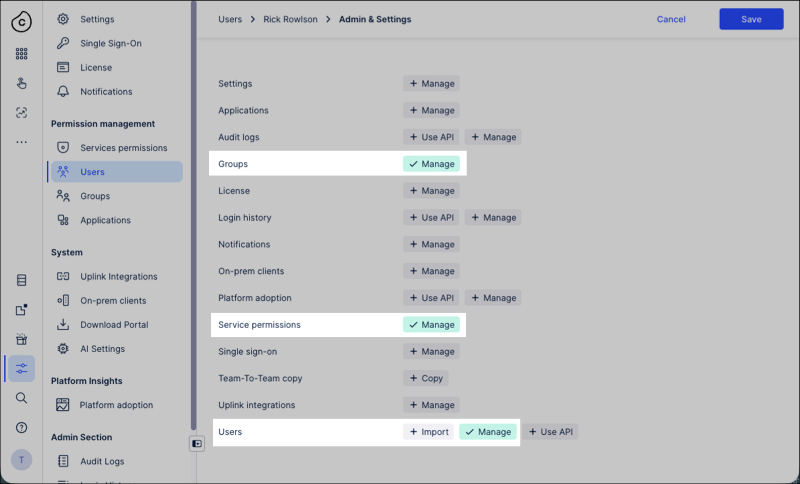
In this example, one user has full admin permissions whereas another has been granted variable admin permissions for the service permissions, users, and groups only:
A user with full admin permissions:
A user with variable admin permissions:
Note
Managing individual permissions requires the Manage service permission. Advanced Restricted permissions are available only to true Admins or variable admins with this permission.
See: Configuring resource permissions / advanced permission settings.
To assign variable admin permissions to team members who currently have member or analyst permissions:
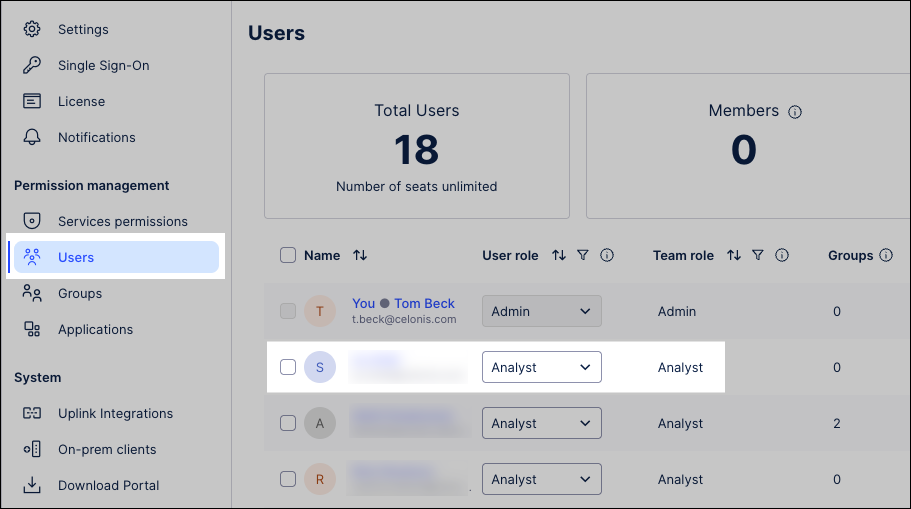
Click Admin & Settings - Users, opening the user management screen.
Click the name of the team member who should be granted variable admin permissions.
Select the Admin & Settings service.
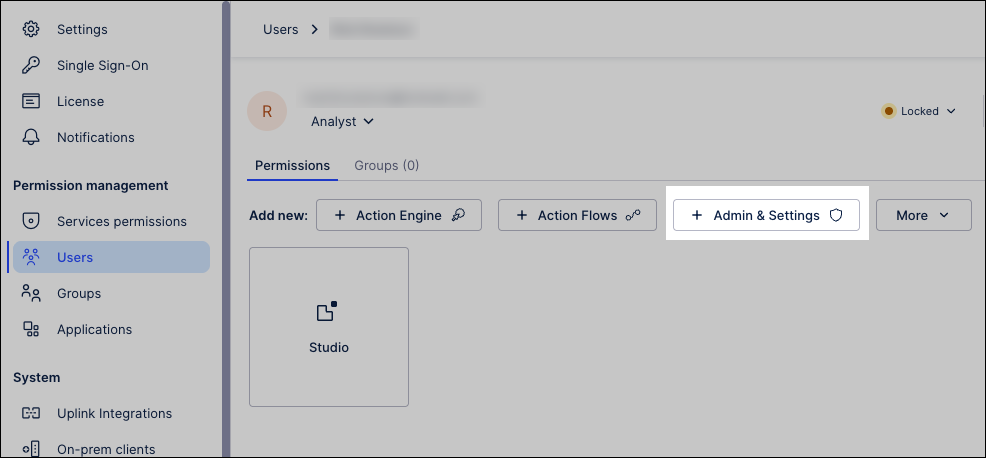
Click Manage for each admin permission you want the user to hold.
For example: Groups, service permissions, and users (matching those from the earlier example).
Click Save.
The user permissions have been updated and are now applied to the relevant user.
To ensure secure access control, the Advanced Permission Settings provide a toggle between standard and restricted management modes, determining whether permission assignment is open to resource managers or limited to system administrators.
To configure who can change permissions on resources in your team:
Click Admin & Settings - Service permissions.
Click Advanced Settings.
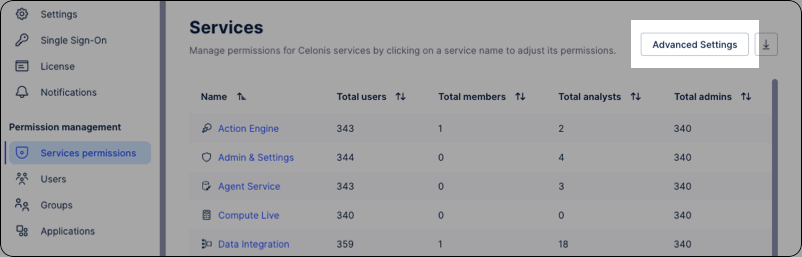
Configure who can change permissions on resources in the platform (Packages, Data Pools, Notebooks etc.).
Standard: Users with "Manage" rights at any level (e.g., Data Pools or Studio Packages) can assign usage permissions to others.
Restricted: Only Admins or users with "Manage" Service permissions (Variable Admins) can assign usage permissions to others.
Click Save.
In addition to assigning admin permissions, you can also set your variable admin preferences for your team. These preferences allow full team admins to further control what the abilities of the variable admins within their team.
To set your variable admin preferences:
Click Admin & Settings.
Scroll down to the Admin configuration section.
Manage which preferences to assign to your variable admins:
By default, the following permissions are enabled:
CSV download for variable admins: This allows them to download CSV copies of audit logs, user groups, user login histories, and user permissions.
Invite users, create groups, and create application keys.
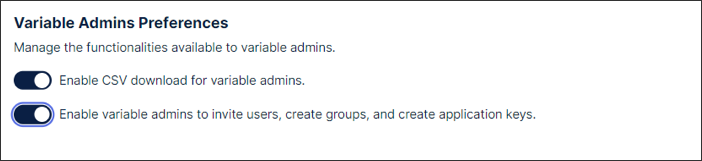
When preferences are disabled, any existing users holding variable admin permissions will lose access to the relevant admin features.