Orchestration Engine known issues
We've gathered resources and troubleshooting tips to help you resolve problems you might encounter when working with Orchestration Engine.
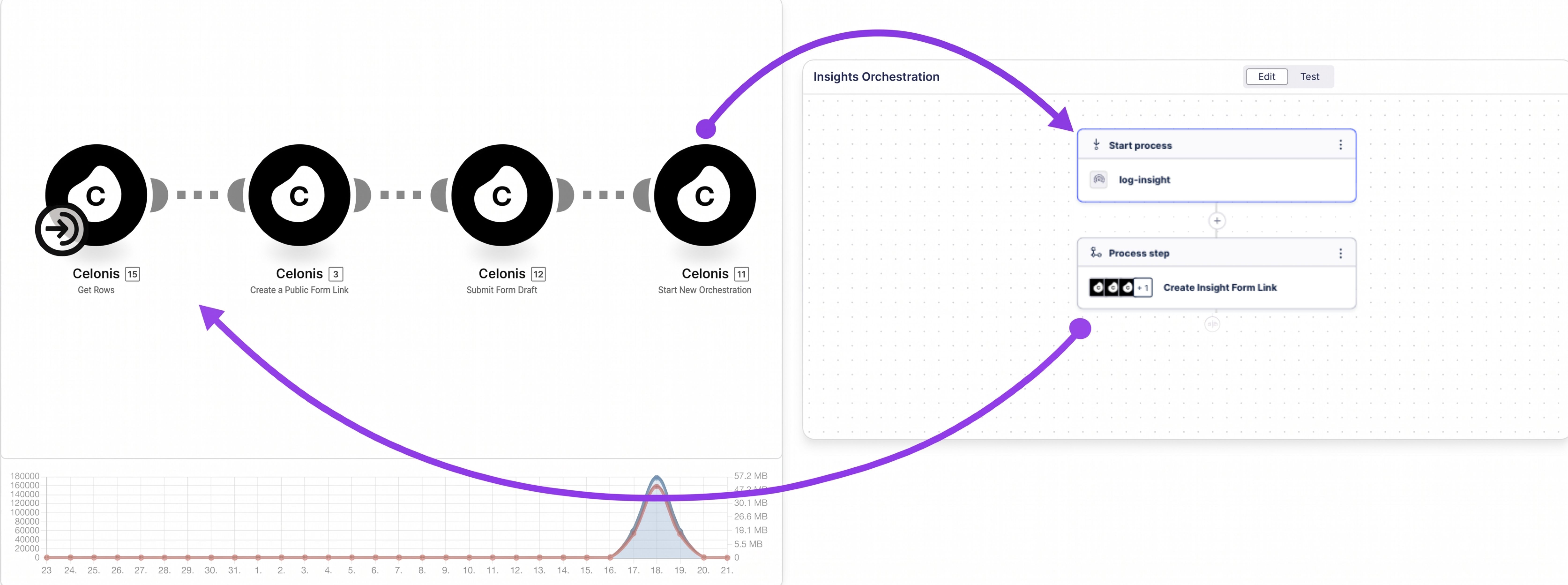
One of the main sources of a sudden spike in Orchestration Engine instances is an existing process loop created in your Process Orchestration. A loop typically occurs when an Action Flow that contains the Start New Orchestration module is used to initiate a process and is then subsequently referenced as a step within that same process, creating a recursive execution cycle.
Solution
To resolve a looped setup, you must break the Action Flow into separate automations: one that contains the Start New Orchestration module and another one that contains modules relevant to a given Process Orchestration Step. Make sure that the Action Flow that contains the Start Orchestration module is not used in the Process Orchestration step.
The situation in which your Process Orchestration stops after completing a step and continues only when you click re-run might occur when a process step and a resume step are put one after another in your orchestration and they both are configured to monitor the same event. In this setup, both steps wait to consume the same signal from the orchestration. Once it's received by the process step, the resume step doesn't have anything to consume, which pauses the process.
Solution
To resolve this setup, remove the resume step from your Process Orchestration and run the process again. We recommend testing your setup after making any changes. See Testing Process Orchestration.