Process Adherence Manager
Process Adherence Manager creates a baseline model for your process using data from the Celonis Platform. Alternately, you can use your own baseline model by uploading a BPMN model file or, if you have access to Process Designer, you can import a process model from Process Designer.
You edit and refine this baseline model to create a target model for your process. By comparing your actual process against the target model, you can see where your process deviates from the target model. Drilling down into these deviations lets you view their root causes and see how they impact performance, helping you understand where and how you can improve your process.
Once you've created your target model, you can export it to Process Designer or as a BPMN model file, allowing you to use it in other applications.
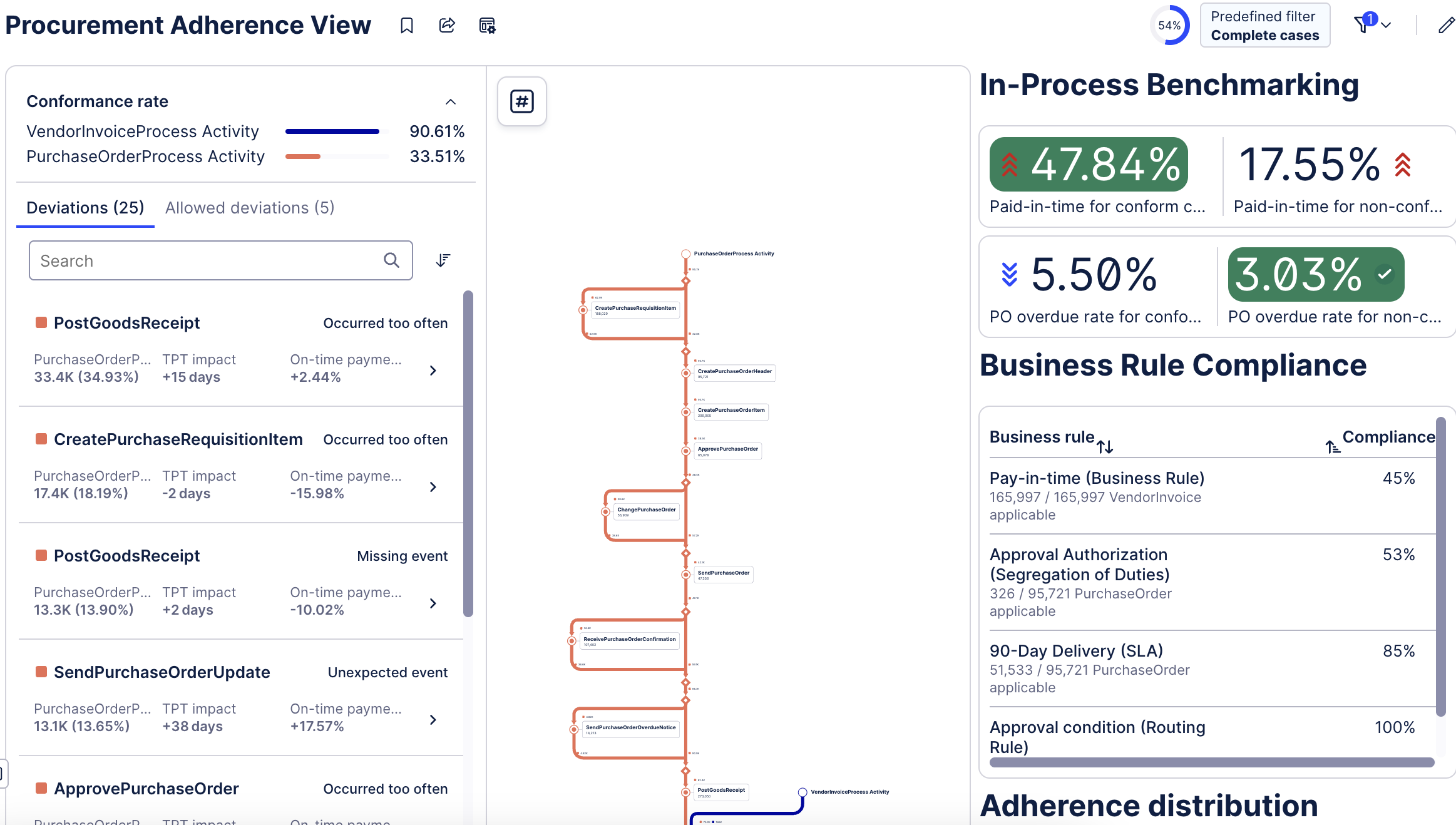
Benefits of using PAM
Process Conformance Monitoring: Monitor your actual, mined processes against a target model to achieve and maintain optimal process conformance.
Deviation and Root Cause Analysis: Define how your process should ideally work (the target model). Visualizing and analyze deviations between the actual process flow and the target process flow. Identify the root causes of these deviations in a ranked order based on key performance indicators (KPIs).
Process Improvement and Steering: Use your findings from the analysis to take action and improve the process.
Value Opportunity Identification: Identify value opportunities by comparing their event data against a "should-be" process model in a guided way.
Key concepts
Baseline model: Represents how a process actually runs, based on event data. It is typicallymined automatically from historical execution data.
Target model: Represents how the process should run. It is derived by refining the baselinemodel or importing a predefined process design and defining which activities and paths arerequired, optional, or disallowed
Adherence: Measures how closely real process executions conform to the target model. High adherence indicates consistent, standardized execution; low adherence highlights deviations
Deviation: Any difference between actual execution and the target model, such as:
● Missing or skipped activities
● Activities executed in the wrong order
● Unexpected repetitions or rework
● Additional, non-standard steps
Variant: A distinct end-to-end execution path that cases take through the process. PAM helps you understand which variants conform to the target process and which do not
Getting started with Process Adherence Manager
The key steps you'll be guided through in Process Adherence Manager are: