Reporting API
The Reporting API is a data connection point that allows users to share raw modeled data from Celonis Process Managment (CPM) to 3rd party analytics tools. It creates a JSON file that can be transformed into data tables and views. This data can then be used in the Knowledge Model in the Celonis Platform to create Records and KPIs, and a Studio Analytics dashboard can be created based on this model.
Users can then build reports and dashboards based on CPM data by retrieving content from within a Process facet.
The documentation for the Reporting API can be found in our Developer Portal.
The Reporting API is accessible by users with the CPM Admin role, who can also generate API keys within the API feature. This key can then be used in 3rd party analytics tools by users with data connectivity rights in these tools. Once the API is set up, Analysts can use the data made available through the API to build reports and analysis.
You must either be a developer or have working knowledge of code to use the Reporting API.
Retrieving all Main Processes within the Process facets, along with their authors and the latest version published date
Finding out if/where a specific System is being used in Processes
Analyze how many processes have an “In process” status
The documentation for the Reporting API can be found in our Developer Portal.
Log into Process Navigator. In the top-right of the Process Navigator home page, select the dropdown next to your login name. Click Admin & Settings .Click Reporting in the left-hand navigation.
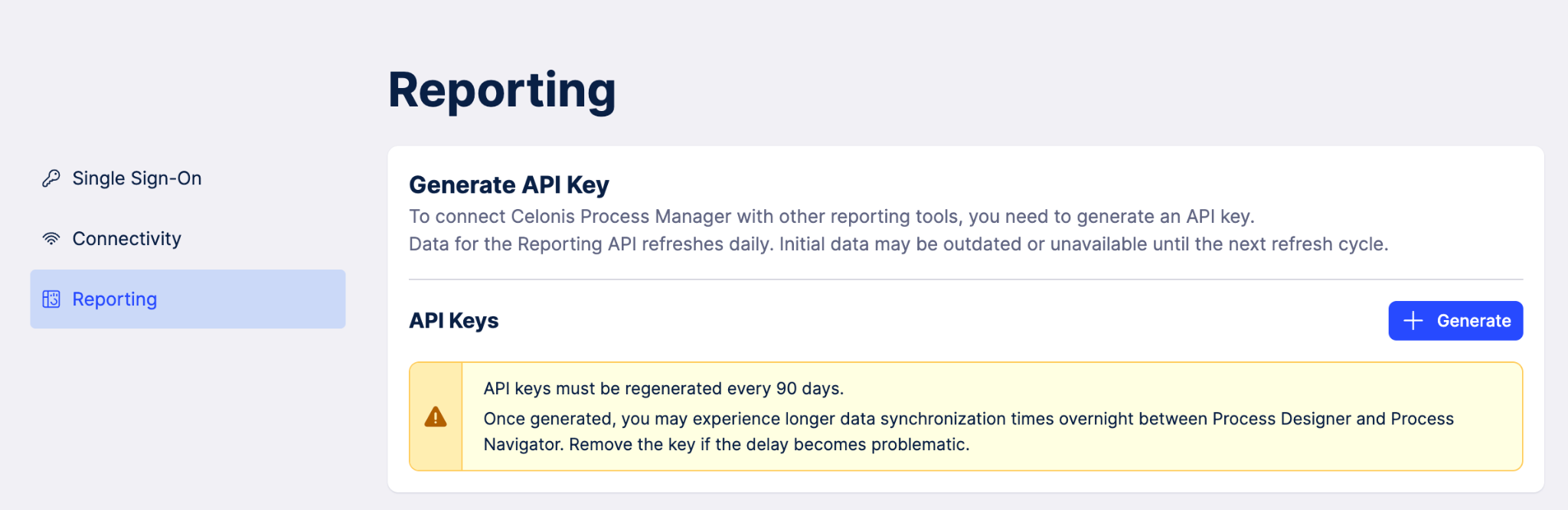
Follow the prompts to generate an API key. Make sure to keep this key somewhere safe, because you will not be able to copy it again when you leave this screen.
Note
If you lose your API key, you will need to regenerate a new one.
Use the key in any 3rd party reporting tool that ingests API keys.
Important
Data in CPM is refreshed every 24 hours. There may be a delay between when you create the key and when the data shown in the 3rd party reporting tool updates.
The key generated by the Reporting API is valid for 90 days. After the 90 day period, you will need to regenerate a new key to keep using the connection with 3rd party tools.
Regenerating overwrites any existing key, even if its within the 90 day period.