External Use settings for a Process Copilot
The External Use section is used to make this specific Process Copilot available for use with third party applications through an API. Activating the toggle switch in the Eternal Use section will allow you to copy the URL used to connect to this Process Copilot or export the JSON code to use in your external tools. If this Process Copilot contains any tools that are not available via API, these tools will be listed below the API URL field.
Note
Calls made using the external API will display on the Process Copilot Monitoring screen with the location showing as “External API”.
To enable your Process Copilot for external use:
Click the External Use section to expand it.
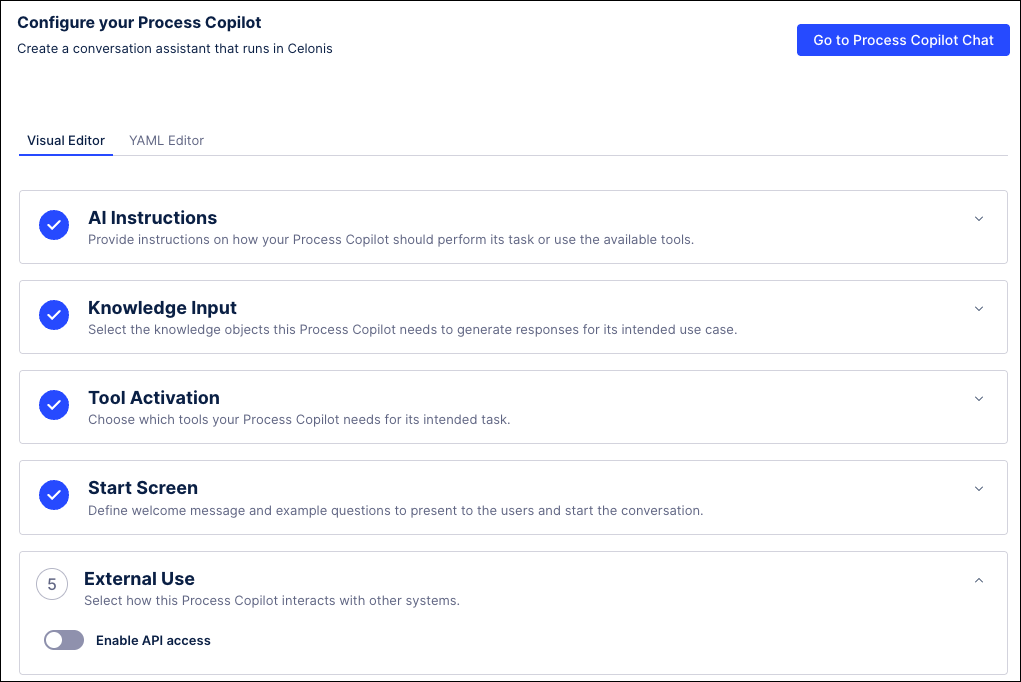
Toggle the Enable API access switch to activate external access.

To connect to this Process Copilot directly using the URL, click the Copy icon on the right side of the field and then paste the URL for this specific Process Copilot in your third party application.
To connect to this Process Copilot using an API, click the Export (.json) button to download the OpenAPI specifications for this Process Copilot.
Remember to check below the URL field for any tools in this Process Copilot that are not available via API.
Click the toggle switch again at any time to remove external access.