Get KPIs (Action Flow)
The Get KPIs Action Flow module retrieves the values of one or more KPIs from a Knowledge Model. You can use this to extract KPI values for reporting, notifications, or further processing in your Action Flow.
If you want to use the OAuth connection method for your Action Flow, your OAuth client must have the following scopes assigned to it:
knowledge-models:read
For more information see, Registering your OAuth client.
To configure this Action Flow module:
In Studio, go to your package and click New asset > Action Flow.
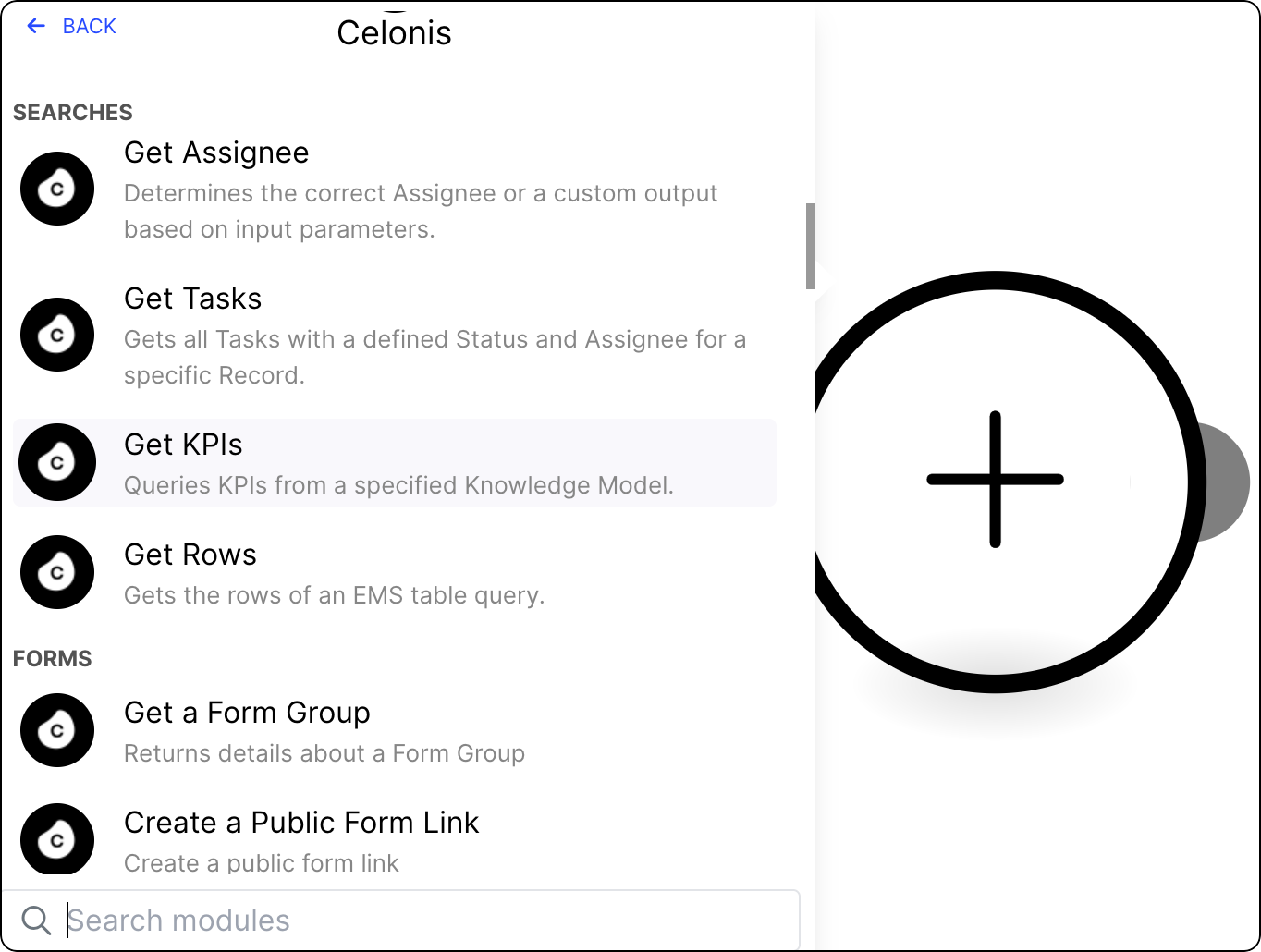
Click Add module and from the list select Celonis > Get KPIs.
Add a connection to the module using one of the following methods:
Note
For creating and testing an Action Flow, the "Celonis User Connection" might be the fastest and easiest choice to get started.
For unattended full automation use cases we recommend to switch to the "Celonis App Key Connection". This ensures that the automation runs stable even if a specific user is removed from the team.
Celonis Application Key
The Celonis App Key connection will reflect the data permissions granted to the selected Application Key and allow you to query data to which you may not otherwise have access:
Give your connection a name.
In a separate window, create an application key and copy it. See Application keys.
Paste the application key and click Save.
Celonis user
The Celonis User connection will reflect your existing data permissions and allow you to query data to which you already have access.
Note
You must have Data integration service permission to use this connection method. See Data Integration permissions.
Give your connection a name.
Click Save.
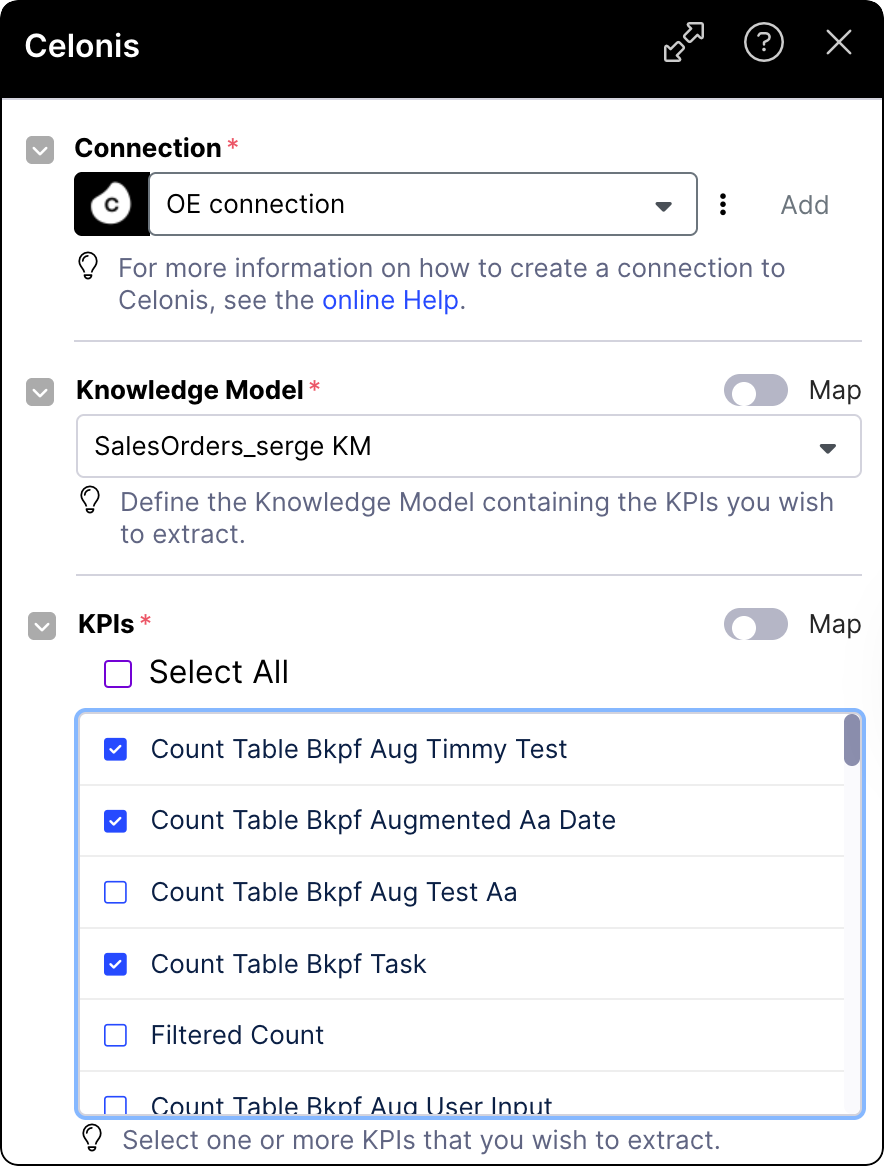
Select the Knowledge Model containing the KPIs you want to extract.
From the list, select KPIs that you want to extract.
(optional) Select filters you want to apply to the selected KPIs.
Filters are defined and stored in the Knowledge Model. If you don't see any filter on the list, you must create one first. For more information, see Filters.
Click Save.
To make the Action Flow operational, version and deploy the package the module is in. See Versioning and deploying packages.
Your module is ready to run. Get KPIs returns a single bundle containing one field per selected KPI, with the KPI ID as the field name and the computed value as the field value. A timestamp field is also included with the execution time.
If a KPI evaluates to no data with the applied filters, for example, no matching rows exist at execution time, that KPI is omitted from the output bundle. This means the number of fields in the output may be fewer than the number of KPIs selected. If you need all KPIs to always appear in the output regardless of whether they have data, consider using the Get Rows module as an alternative.