Copying filters between Views
Any filters you set in a View can also be copied into other Views within your Celonis Platform team, saving you from manually configuring them each time. Copied filters are saved on a clipboard for 10 minutes, with a prompt for you to apply the filter when you open subsequent Views.
Copying filters works best when the same Knowledge Model is used, though this is not mandatory.
To copy filters between Views in Apps or Studio Interactive Mode:
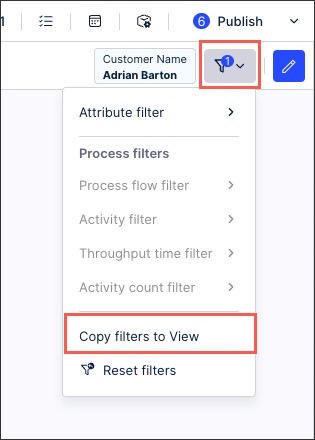
Click Filters - Copy filters to View.
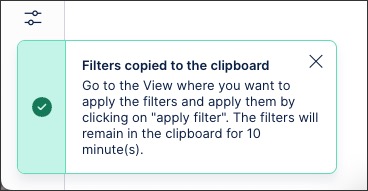
A confirmation message is displayed, informing you that you have 10 minutes to copy the filters into another View:
Open another View and click Apply Filters.
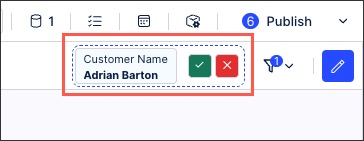
The filter is now applied to both the original View and the View it was copied into.