Localizing number and date formats
Localized formatting allows numbers and dates to update dynamically based on the user's region. This feature is supported in Views and Knowledge Models using specific YAML format strings or the Visual Editor dropdown.
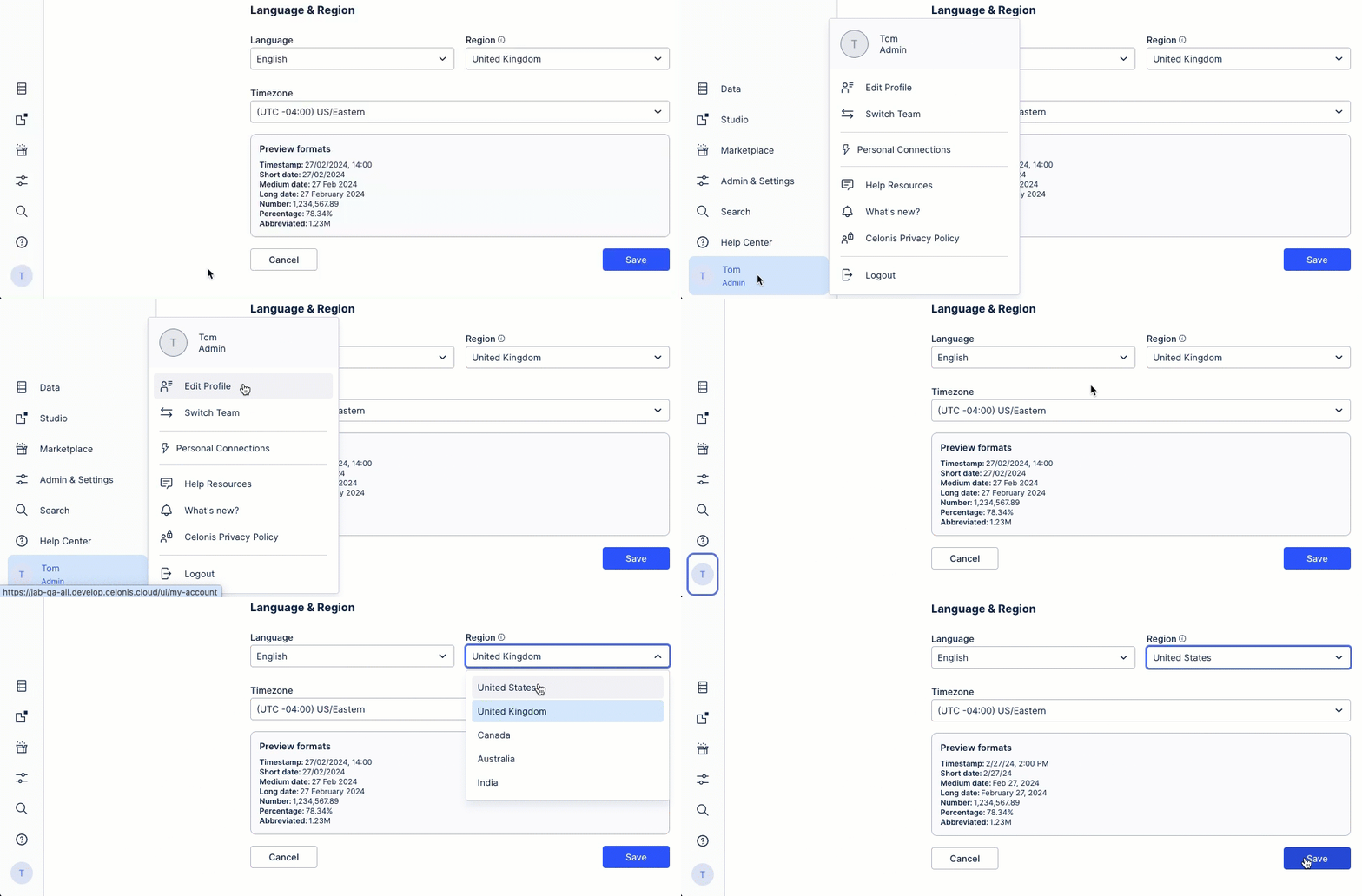
You can update your location / region in your user profile by clicking your profile icon and then clicking Edit Profile:
Some date formats that currently describe a specific fixed locale may need to be updated to one of the options above to enable localization. This means you should change the format string from a specific to a generic option so that it can be localized.
Here is the list of date formats you may want to check and the respective recommendation:
Existing date format | Recommended format |
|---|---|
%Y-%m-%d | %x |
%H:%M | %X |
%Y-%m-%d %H:%M | %c |
.3s | .3~s |
You have the following options to change your formats:
Update format with YAML
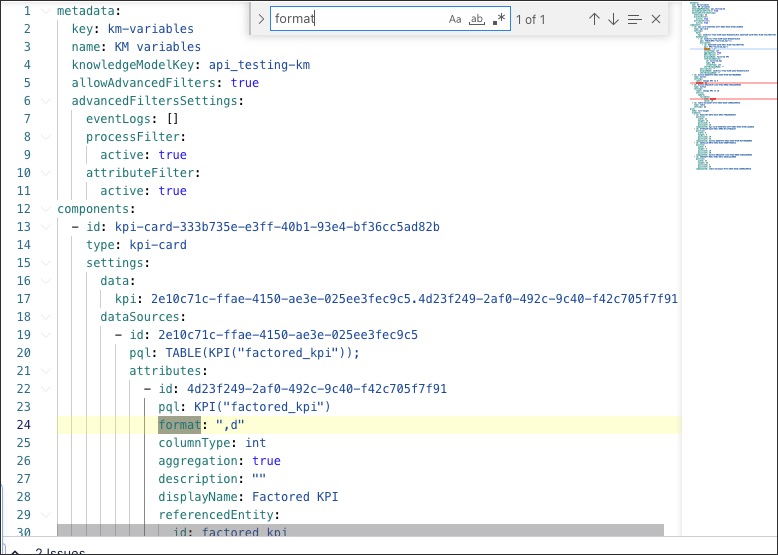
Normally this string replacement operation is easier to realize in YAML by searching (CTRL + F / CMD + F) for specific attributes and replacing the old values with the new ones. In this case, you can either look for the attributes “format” and “dateFormat” or with the values you want to replace, for example “%Y-%m-%d”:
Update with visual dropdown
Additionally, a new formatting dropdown is available for the Visual Editors (Only in Views) to facilitate easy selection:
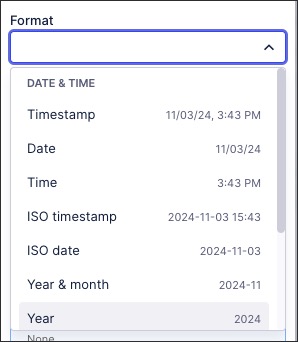
Format Name | Format String (Localizable format) | Example Output(Example Localized to EN_US) |
|---|---|---|
Rounded | ,.0f | 187,370 |
Decimals | ,.2f | 187,370.34 |
Percentage | .0% | 50% |
Percentage with decimals | ,.2% | 40.5% |
Abbreviated | ,.3~s | 10K |
Date | %x | 11/26/2024 |
Time | %X | 14:42 PM |
Timestamp | %c | 11/29/1973, 9:12:21 AM |