Downloading on-premise JDBC Extractors
The latest JDBC extractor can be downloaded from the Download Portal by users with MANAGE DOWNLOAD PORTAL permissions in their Celonis Platform team.
Note
You only need to install the on-premise JDBC Extractor for Uplink connections. If you are using a Direct connection, the on-premise JDBC Extractor is not needed.
With the necessary permissions:
Once complete, either:
If this is your first installation, proceed to Configuring an on-premise extractor.
If you are updating an existing installation, proceed to Updating JDBC extractors.
To download the JDBC Extractor, you need MANAGE DOWNLOAD PORTAL permission in your Celonis Platform team.
To learn more about the download portal, see: Download portal
And to manage admin permissions, see: Available permissions
With the necessary permissions, to download the on-premise JDBC Extractors:
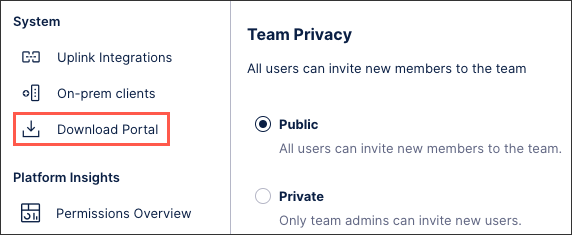
Navigate to Admin & Settings and then select the Download Portal:
In the Download Portal, find the latest version of the JDBC (Database) Extractor:
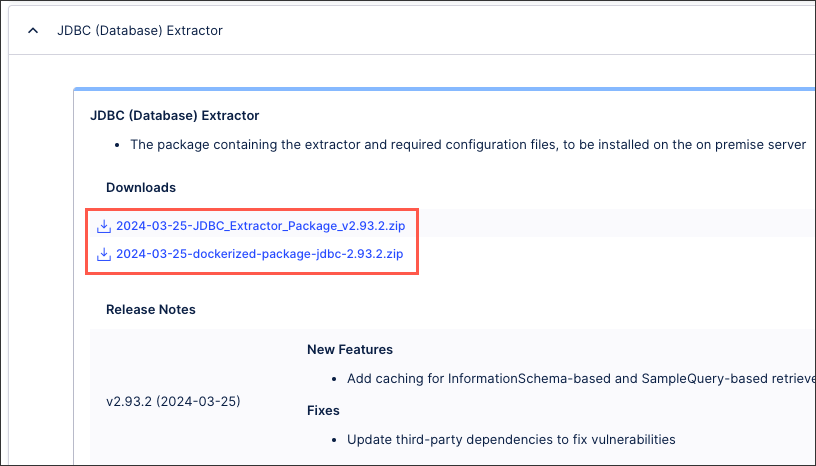
Select the archive link to start the download.
Verify the download checksum against the one in the Download Portal by following the instructions on Download Portal file security.
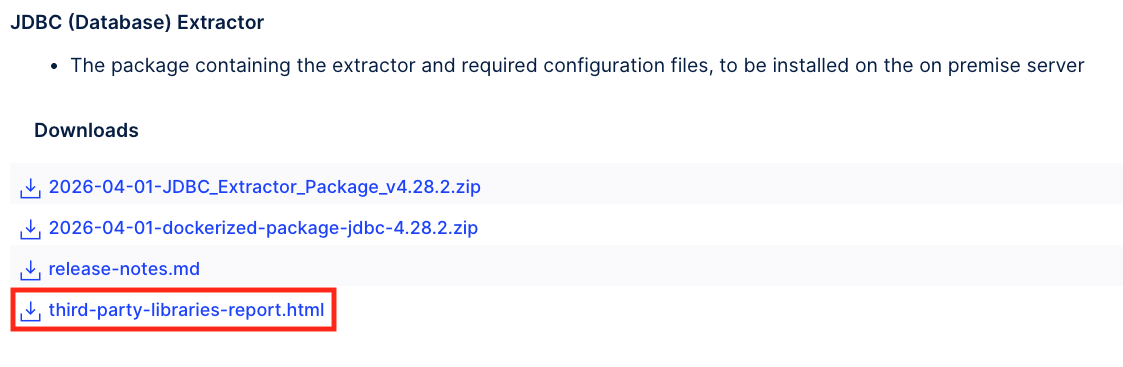
The JDBC Extractor archive includes multiple third-party libraries. These libraries are updated in the third-party-libraries-report.html for each release. To download it:
Note
To perform these steps, you must have the JDBC Extractor MANAGE DOWNLOAD PORTAL permission in your Celonis Platform team.
Navigate to Admin & Settings and then select the Download Portal:
In the Download Portal, find the latest version of the JDBC (Database) Extractor.
In the JDBC (Database) Extractor section, select the
third-party-libraries-report.htmllink to download the report: