Create a Public Inbox (Action Flow)
This module allows you to create an inbox where all Forms assigned to a given user are stored. The Form inbox allows users to check the status of Forms assigned to them and open any Form to review or submit it.
Your Action Flow module requires an OAuth client to interact with Celonis Platform:
Make sure your OAuth client has the following scopes selected:
knowledge-models:read
knowledge-models:query
orchestration-engine
For more information on how to create an OAuth client and add scopes to it. See, Registering your OAuth client.
Your OAuth client must have the Edit permission for the Package where your forms forms are located. For more information, see Managing Container-level permissions.
To configure this module:
In Studio, go to your package and click New asset > Action Flow.
Click Add module and from the list select Celonis > Create a Public Inbox.
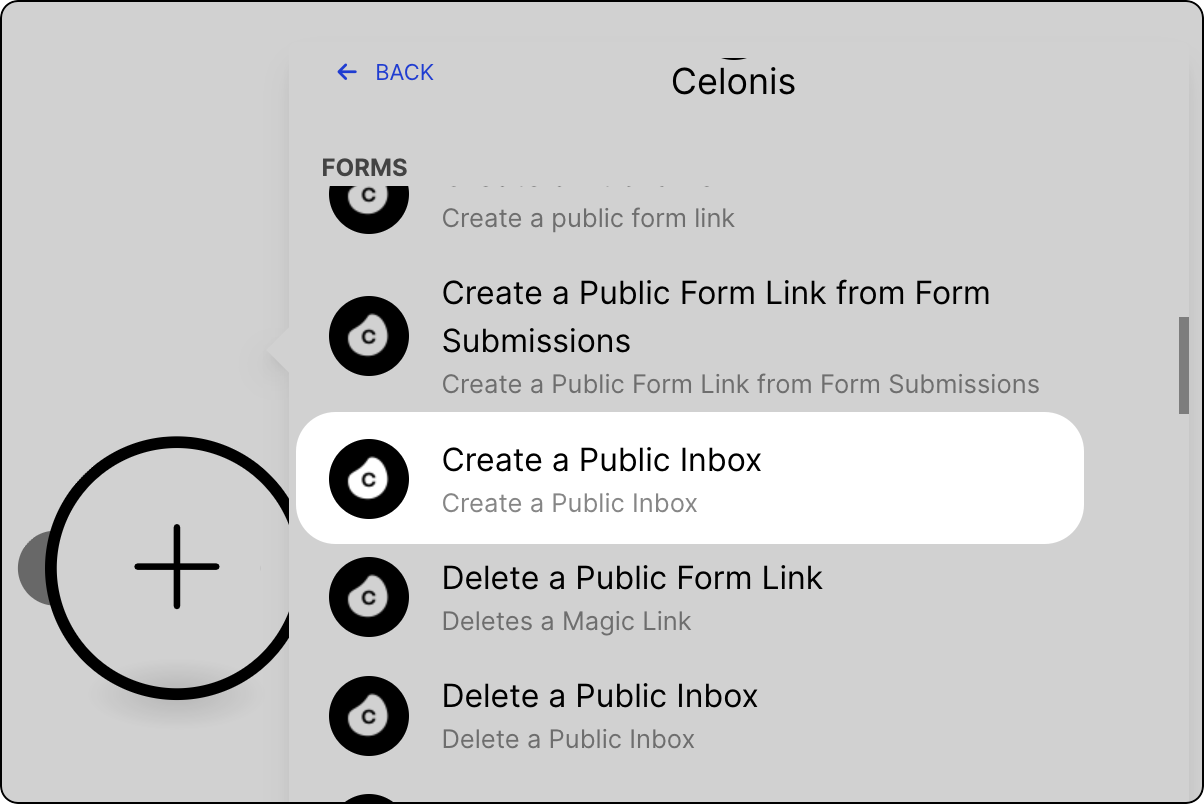
Select from existing OAuth 2.0 connections, or create a new one. See Registering your OAuth client.
Provide the following values:
Value
Description
Email
Email address of a user for whom you want to create the Form Inbox.
Expiration date
The expiration date for the Forms inbox. Your Forms inbox link will stop working from that day onwards. By default, links are set to expire within seven days.
Click Save.
Version and deploy the package your module is in. See Versioning and deploying packages.
Your Action Flow module is ready for use. To create a Forms Inbox, you must combine this module with the Create a Public Form Link module in a single Action Flow. See Creating Forms inbox